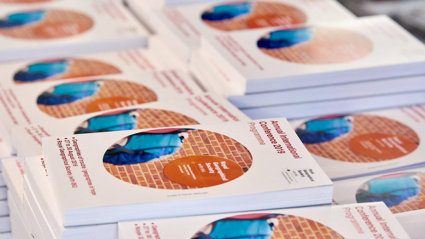
Ways to navigate the programme
How to access different formats for the conference programme
There are multiple ways to browse and search the conference programme. The online programme and conference app will have the most up-to-date version of the programme.
View the online programme
The online programme is available to search and browse. Please note that you will need to login with the email address that you used to register; please contact ac2026@rgs.org if you are having trouble accessing the programme.
You can search for your own contributions by using the search bar in the top righthand corner. This also works for searching for other contributors, and by keyword or session or paper/poster title.
You can also browse the whole programme by using the At a Glance and Today buttons above.
Download the conference app
A conference mobile guide is available to download through the Ex Ordo app, allowing you to explore the programme on your mobile device and curate your own personalised schedule.
To access the mobile guide, download the Ex Ordo app to your mobile device:
- Download Ex Ordo from the App Store for iOS devices
- Download Ex Ordo from Google Play for Android devices
Once you've installed the app, create an account. You can use the same email (and password) as your existing Ex Ordo login, but you will be required to make a new account within the app.
Then, click on the 'passphrase' tab in the Ex Ordo app, and enter the conference passphrase: ac2026
Click 'continue', and then click 'download guide'. The mobile guide will then be saved to the Ex Ordo app (you only need to download the app once). When returning to the Ex Ordo app, find the ac2026 guide saved under 'my guides'.
Download and print programme listing
Within Ex Ordo, you can download a printable version of the programme which lists sessions by day, time and room. Each session has full details of convenors, chairs and all papers/contributions to that session.
Log in to Ex Ordo and go to the At a Glance page. In the top right hand corner is an option to Build Programme PDF. Click this button, and then click Build. This will generate the latest version of the programme for you (it may take a few minutes, it's a big conference!) You can then download the file when prompted.
Download and print timetable grid view
Too many sessions? Missing the old programme book? We have also put together a grid view of the programme which helps you see at a glance what is happening when and where. Download as a PDF and print for your own handy copy.
Please note we will have no hard copies available at the conference; please print your own copy before arriving at the conference.
Within the conference programme, some sessions are sponsored by the Society's Research Groups. These are marked with Research Group shortcodes - the list of these is as below.
- Animal Geography Working Group (AGWG)
- Carceral Geography Working Group (CGWG)
- Climate Change Research Group (CCRG)
- Coastal and Marine Research Group (CMRG)
- Development Geographies Research Group (DevGRG)
- Digital Geographies Research Group (DGRG)
- Economic Geography Research Group (EGRG)
- Energy Geographies Research Group (EnGRG)
- Food Geographies Research Group (FGRG)
- Gender and Feminist Geographies Research Group (GFGRG)
- Geographical Information Science Research Group (GIScRG)
- Geographies of Children, Youth and Families Research Group (GCYFRG)
- Geographies of Health and Wellbeing Research Group (GHWRG)
- Geographies of Leisure and Tourism Research Group (GLTRG)
- Geographies of the Middle East and North Africa (MENA)
- Geography and Education Research Group (GeogEd)
- Historical Geography Research Group (HGRG)
- History and Philosophy of Geography Research Group (HPGRG)
- Landscape Geography Working Group (LGWG)
- Latin American Geographies Working Group (LAGWG)
- Participatory Geographies Research Group (PyGyRG)
- Political Geography Research Group (PolGRG)
- Population Geography Research Group (PopGRG)
- Quantitative Methods Research Group (QMRG)
- Race, Culture and Equality Working Group (RACE)
- Radical Geography Research Group (RadGeo)
- Rural Geography Research Group (RGRG)
- Social and Cultural Geography Research Group (SCGRG)
- Space Sexualities and Queer Research Group (SSQRG)
- Transport Geography Research Group (TGRG)
- Urban Geography Research Group (UGRG)